What Does Drip Feed Mean in an SMM Panel?
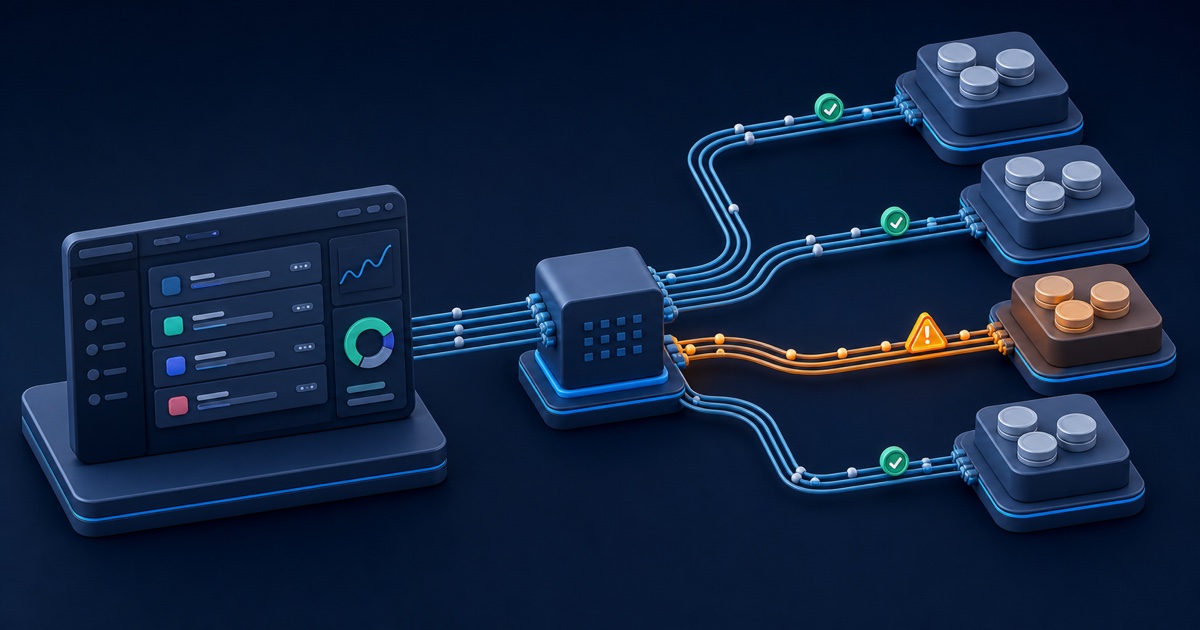
Drip feed in an SMM panel splits one planned total into smaller runs and starts each run after a chosen interval. Set the quantity per run, run count, and interval before you submit. Then verify the total quantity and final charge in the order summary.
Use drip feed when you want staged timing. Do not treat it as a promise about start speed, completion time, retention, or results on the social platform.
How does SMM panel drip feed work?
Choose three values, quantity per run, number of runs, and minutes between runs. The scheduler creates a parent plan and starts each real child order when its turn arrives.
Calculate the total quantity
Multiply the quantity in one run by the number of runs. Check this total before you pay.
100 units per run × 10 runs = 1,000 total units. A 720 minute interval places 12 hours between planned starts.
The service minimum and maximum can apply to one run, the full schedule, or both. Read the current form validation and service notes. Those controls define what the selected service accepts.
Choose a practical run size
Pick a run size that stays inside the displayed minimum and maximum. A tiny run can fail a provider minimum. A large run can remove the timing benefit you wanted.
Start with the outcome you need. If you want 1,200 total units across six equal runs, enter 200 units per run and six runs. Recalculate after every change.
Set the interval in minutes
Enter the time between planned starts in minutes. Convert hours to minutes before you submit.
- 30 minutes means two planned starts per hour.
- 360 minutes means one planned start every six hours.
- 1,440 minutes means one planned start each day.
The interval controls scheduling. Provider queues and platform conditions can still delay an individual run.
Understand the parent and child orders
Track the parent order for the full plan and inspect child runs for individual provider results. One completed child does not finish the full schedule.
The parent can remain active while future runs wait. Each child can report Pending, Processing, Completed, Partial, Canceled, or another supported state. Keep the parent order ID when you contact support.
How do you place a manual drip-feed order?
Select a service that shows drip-feed support, enter a valid public target, add the run settings, and review the calculated total before you confirm.
Follow the order form step by step
Complete the form in this order so each later value reflects the service you selected.
- Open the new order page and choose the correct category.
- Select the exact service for the profile, post, video, channel, or message you want to use.
- Confirm that the form offers drip-feed controls.
- Paste the direct public target URL.
- Enter the quantity for one run.
- Enter the number of runs and the interval in minutes.
- Compare the displayed total quantity and charge with your plan.
- Submit once and save the parent order ID.
If the form does not show drip-feed controls, do not force run values through a custom request. Choose a supported service or place a normal order.
Check a complete example
For 2,000 total views across five runs, enter 400 views per run and five runs. Enter 1,440 minutes if you want one planned start per day.
Review the final order summary. A service can impose a different minimum interval or quantity rule, and the form can reject a value that falls outside it.
Know how automatic drip feed differs
Let the service configuration control runs and intervals when the operator enables automatic drip feed. Enter the total quantity requested by the form.
In that flow, the panel divides the total across the configured schedule. API run and interval fields do not replace the service-level settings. Read the order summary before you submit because the form shows the final values.
What should you check before submitting?
Verify public access, link type, service limits, available balance, and existing orders before you create the schedule.
Test the exact target while signed out
Open the pasted link in a private browser window. The provider must reach the target without your login, a follow approval, a group invitation, an age prompt, or a country block.
Keep the account and content public until every run closes. A privacy change can stop the next child even when earlier runs finished.
Match the service to the target
Use a profile URL for follower services and a content URL for post, video, Reel, Short, or message services. Read the service name and notes before you assume two similar options accept the same link.
Username changes, deleted posts, expired Stories, and reposted content can invalidate the saved target. The scheduler continues to use the original URL.
Avoid overlapping orders
Wait for the active schedule to finish before you start another order that changes the same count, unless the service notes clearly allow overlap.
Two providers can read the same starting count and credit each other for progress. That conflict can produce early completion, a wrong remainder, or less delivery than you expected.
Confirm funds and totals
Check the final charge shown by the form and keep enough panel balance for the order. Do not calculate price from an old rate or a screenshot.
Service rates and limits can change. The live order form and public services catalog show the current configuration.
How do you track and troubleshoot a drip-feed plan?
Watch the parent schedule and the latest child run, then compare the next planned time before you report a delay.
Read the status at the correct level
Use the parent to judge the whole schedule. Use a child to judge one provider order.
- Pending means the child waits for dispatch or provider acceptance.
- Processing means the provider accepted that child and continues work.
- Completed closes that child, not necessarily the parent plan.
- Partial means the provider reported only part of the child quantity.
- Canceled means the provider stopped that child under the recorded order rules.
Check a run that has not started
Compare the current time with the next planned start. Then confirm that the target remains public, the service remains active, and the previous child reached a state that allows the schedule to continue.
Do not place a duplicate schedule to force movement. Save the parent ID and latest child ID, then open a ticket if the planned time passed and the order shows no progress.
Report a failed or partial run
Send support the parent order ID, affected child ID, target URL, current status, and the time you observed the issue. Include the public count only when it helps explain delivery.
Support reviews the recorded service and provider response. A review does not promise a refill, cancellation, or balance adjustment.
What can drip feed change?
Use drip feed to change timing and order grouping. It cannot control platform audits, provider capacity, retention, or audience quality.
Use it for staged timing
Choose drip feed when one supported service and one stable public target need several planned starts. It can reduce the need to submit the same form repeatedly.
Keep the interval realistic. Very short gaps can create overlapping provider work even inside one schedule.
Do not treat it as a quality label
Judge the service from its current name, notes, limits, and supported actions. Drip-feed support says that the panel can schedule runs. It says nothing about permanent counts or social-platform treatment.
Follow the target platform rules and avoid claims that the service notes do not support.
Drip-feed questions
Use these short answers before you submit or contact support.
Can you edit runs after submission?
Do not assume you can edit an active plan. Review every value before checkout and contact support with the parent order ID if you entered the wrong schedule.
Can you cancel the remaining runs?
Use only the cancellation action that the order and service currently expose. Provider state and completed children affect the available outcome.
Does drip feed prevent drops?
No. It controls planned timing only. Read what refill means in an SMM panel to understand drop-review limits.
Can API users send drip-feed values?
Use the fields documented for the selected service and API version. Automatic drip-feed settings can override customer-supplied run timing. Review the SMM panel API documentation before integration.
Featured photo by Rodrigo Rodrigues | WOLF Λ R T on Unsplash.