Why Social Media Service Orders Fail, Drop, or Get Canceled
Social media service orders usually fail because the service and target do not match, the target blocks public access, the link changes, two orders overlap, or the upstream provider stops working. Open the exact submitted URL while signed out, confirm the required interaction, and keep the target unchanged until the order closes.
Run the checks below before you place a duplicate order. Most checks take less than five minutes.
How do you diagnose a failed order quickly?
Test public access first, then verify the service, URL, interaction settings, quantity, and existing orders in that order.
Test the target while signed out
Open the exact submitted link in a private browser window. The page must load without your account session, follow approval, group membership, age confirmation, or country access.
A public profile can still contain a followers-only post, private Reel, unlisted video, expired Story, restricted page, or private message. Test the content URL as well as the profile.
Keep the account and content public for the full order. Switching privacy back on can stop delivery, produce a partial result, or trigger cancellation.
Match the service to the target type
Read the platform, action, and required object in the service name. Submit a profile to a follower service, a post to a like service, a video to a view service, and a public message to a message-view service.
Similar names can follow different link rules. Compare the category, minimum, maximum, custom-input requirement, and current notes before checkout.
Verify the original URL
Confirm that the saved URL still opens the same profile or content. Use the direct canonical platform link.
A username change can break an old profile URL. Deleting and reposting creates a new content ID. Short links, tracking wrappers, copied search URLs, login redirects, and expired share links can also fail provider validation.
Enable the required interaction
Check the Like, Follow, Comment, view, reaction, or join control as a signed-out nonfollower. A public page can still block one action.
Hiding a like count does not disable likes. Comment approval, keyword filters, and platform moderation can hide or remove a comment before it appears publicly.
Validate quantity and custom input
Keep quantity inside the displayed minimum and maximum. Match the required count and format for comments, mentions, usernames, keywords, poll options, runs, and intervals.
Automatic services also need enough eligible new content to complete the requested run count. Review the order summary before submission.
Which platform settings cause order failures?
Check the platform-specific audience and interaction controls on the exact account or content item.
Instagram checks
Keep the account public and use the correct profile, post, Reel, or Story link. Confirm that Instagram allows comments or the required interaction on the target.
Open Profile > Menu > Account privacy to review account visibility. Then inspect the target from a private browser. Instagram explains the account control in its account privacy guide.
TikTok checks
Keep the account and video public, and allow the required interaction for the audience named by the service.
TikTok applies age-based privacy defaults and feature limits. Review its privacy settings for users under 18 when a teen account cannot expose the required control.
YouTube checks
Use a channel URL for subscribers and the exact video or Short URL for views, likes, or comments. Set the target to Public.
YouTube disables comments on content marked Made for kids and can limit videos by age or country. Review YouTube age restrictions and country restrictions.
Facebook checks
Set the post audience to Public and confirm that nonfollowers can use the required reaction or comment control.
Open Settings and privacy > Settings > Followers and public content to review public-post interactions. Facebook documents these controls in its public-post settings guide.
LinkedIn and Telegram checks
Publish LinkedIn posts to Anyone and set follower access to Everyone on LinkedIn when the service requires it. Use a public Telegram channel or public message link.
A LinkedIn company page cannot replace a specific post for likes. A private Telegram invitation cannot replace a public message URL for views. Review LinkedIn follower settings and post visibility.
What should stay unchanged during delivery?
Keep the target, URL, public access, interaction controls, and competing campaigns stable until the order reaches a terminal status.
Avoid overlapping orders
Wait for one active order to close before another supplier changes the same public count, unless the service notes clearly allow overlap.
Two providers can read the same starting count and claim each other's progress. One order can then complete early, show a wrong remainder, stall, or deliver less than requested.
Do not rename or repost the target
Keep the original username and content URL. Do not delete and upload the same media again while the order remains open.
The new content can look identical, but the platform assigns a new ID and URL. The provider continues to work against the link saved with the order.
Keep privacy and interactions open
Leave the account public and keep comments, reactions, follows, or views available to the required audience.
Adding an age limit, country block, follower-only audience, private group, or login wall can stop the next provider check.
Preserve the starting count
Do not manually remove followers, likes, views, or other counted activity during delivery. Providers compare current count with a recorded starting point.
A separate advertising campaign can change the same metric. Record its timing if you cannot pause it.
When does the provider cause the failure?
Suspect the service or provider after the target, link, visibility, interaction, quantity, and overlap checks all pass.
Recognize a provider outage
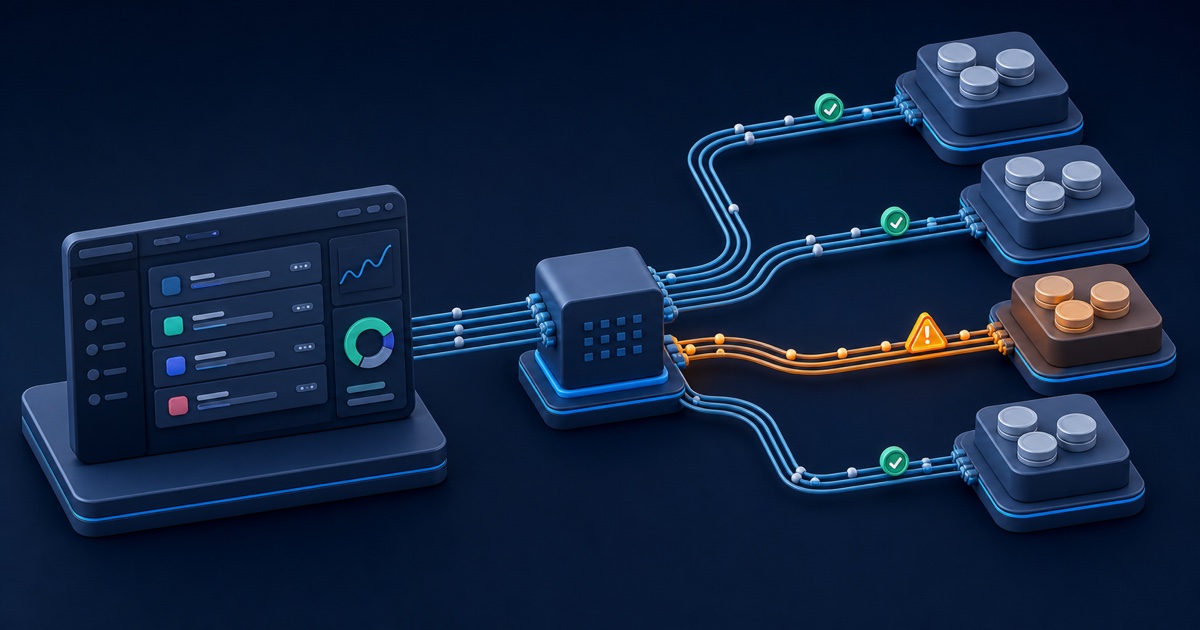
Look for several unrelated orders on one service that stop at the same time. Staff should pause new orders and inspect the provider path.
Platform markup changes, API changes, rate limits, authentication failures, invalid responses, and capacity spikes can interrupt an integration. Repeated customer orders add duplicates and queue pressure.
The operator can restore the connection, route future orders elsewhere, or settle affected orders under their recorded status. Customers should keep one ticket per affected order.
Separate no start from a later drop
Call it a start failure when delivery never begins. Call it a drop when a visible count decreases after initial delivery.
Platforms inspect engagement, remove spam, close restricted accounts, and recalculate public metrics. YouTube explains count verification, TikTok describes fake-engagement removal, Meta documents action against fake engagement, and LinkedIn explains follower count changes. Read the source policies from YouTube, TikTok, Meta, and LinkedIn.
Use the refill policy for drop reviews
Open a support ticket with the order ID when a completed order needs a drop review. AllInOneSMM currently does not expose customer-initiated refill in the dashboard or API.
Support checks the recorded service, status, count, and provider response. Read what refill means in an SMM panel before you request review.
What do the order statuses mean?
Use the current status to understand where the workflow stopped and which action can still apply.
Pending, Processing, and In progress
Read Pending as queued or waiting for provider acceptance. Read Processing or In progress as provider acceptance without a terminal result.
Check the target and wait for the normal service start range before you duplicate the order. Contact support when the service exceeds its expected handling range and all target checks pass.
Completed and Partial
Read Completed as the provider completion result at that time. Read Partial as delivery of only part of the requested quantity.
The recorded remainder controls proportional settlement for a Partial order. A later platform recount does not rewrite the earlier provider status automatically.
Canceled, Refunded, and Error
Read Canceled or Refunded as a closed fulfillment state under the recorded settlement. Read Error as a dispatch or provider-response issue that needs retry or operator review.
Do not assume every closed order receives the same financial action. The recorded quantity, remains, charge, and status control settlement.
What should you send in a support ticket?
Send one concise timeline with the order ID, exact URL, status, public count, checks completed, and time of the last change.
Use this ten-point checklist
Complete these checks and place the results in the ticket.
- Confirm the service matches the platform, action, and target type.
- Open the exact submitted link while signed out.
- Confirm the account and content are public.
- Remove age, country, follower-only, group, and login restrictions.
- Confirm that nonfollowers can use the required interaction.
- Verify that the URL still points to the original target.
- Check the displayed minimum, maximum, custom-input format, and notes.
- Confirm that no overlapping order changes the same count.
- Stop editing the target while delivery remains open.
- Record the order ID, status, URL, count, and last-change time.
Open the case through Tickets. Never send a social-media password, wallet seed phrase, private key, or panel API key.
Use related panel references
Compare current targets, limits, and supported actions in the public SMM services catalog. Review common account questions in the AllInOneSMM FAQ.
Resellers can review status and error handling in the SMM panel API documentation. For planned batches, read what drip feed means in an SMM panel.


.jpg)